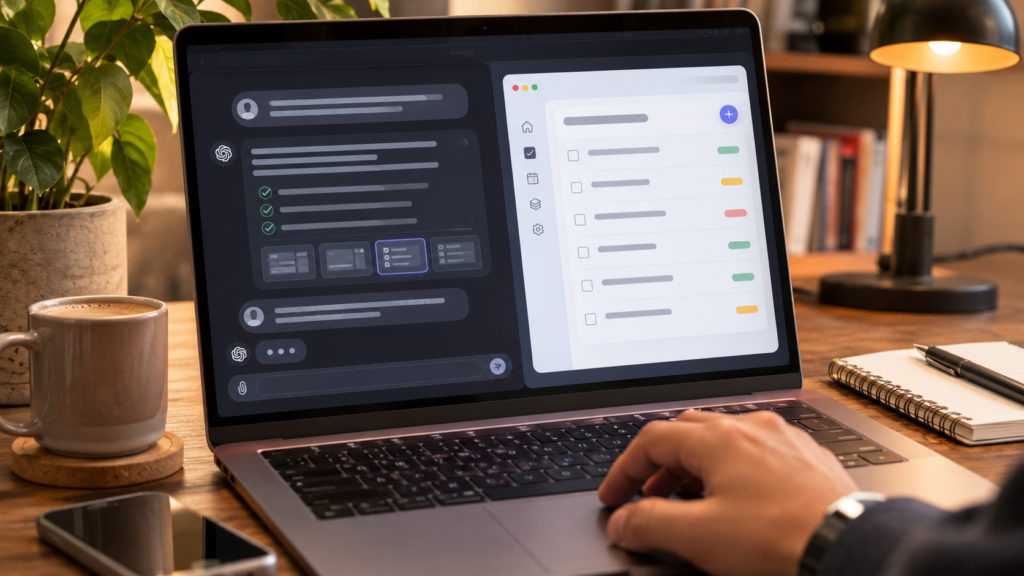
You can build the first version of an app without paying for a developer or writing code. But a free prototype, a public deployment and a maintainable production product are three different achievements. This tutorial shows how to complete the first one responsibly, then decide whether the next two are worth paying for.
We use a personal reading tracker as a repeatable example. You can try Emergent or apply the same specification in Lovable, Replit or a conventional no-code builder. The steps are instructions to reproduce, not a claim that we independently built and tested this exact app.
Define the smallest useful version
Start with one user and one job. A reading tracker needs a list of books, an add form, a status field and a way to edit or delete entries. It does not initially need a social feed, payments, recommendations, cloud sync or an AI chatbot. Every extra feature creates more states to test and more opportunities to spend credits.
Write acceptance criteria before opening a builder: I can add a title and author; set its status to To Read, Reading or Finished; filter the list; refresh without losing local data; and use the app on a narrow phone screen. These criteria are specific enough to determine whether the first version works.
What free actually covers
Distinguish five costs: building with AI prompts, editing generated code, storing data, publishing to a public URL and maintaining a running app. A free monthly AI allowance is not the same as unlimited deployment or free production hosting. Review the current checkout and documentation before choosing a provider.
For a prototype that one person uses, browser localStorage can be enough. It is not a substitute for a multi-user database: clearing browser data can erase records, and another device will not automatically see them. Treat it as a temporary design decision, not permanent infrastructure.
Choose a builder for the job
Emergent is a conversational app builder with web and mobile-oriented workflows. Lovable is another prompt-driven path, especially relevant to web applications. Replit combines an AI agent with an integrated coding workspace, which becomes valuable when you want to inspect and maintain code. A visual no-code platform may be preferable for well-defined business workflows.
Compare whether the free tier allows preview, what counts as one AI credit, whether code can be exported, what public deployment requires and what happens when the allowance is exhausted. Use the same specification across tools rather than comparing marketing demos for different projects.
Use a precise prompt
Copy this requirement into the builder: “Create a responsive personal reading tracker for a single user. Show a list of books with title, author, reading status and rating. Provide Add, Edit and Delete actions, search by title and filter by status. Save data in browser localStorage. Do not add accounts, external APIs or payments. Include form validation, empty states and keyboard-accessible controls. Explain how to test each feature.”
The prompt excludes expensive features and defines a measurable outcome. Ask the agent for a plan before large changes, then assess the preview. Avoid a chain of vague prompts such as “make it better”; describe a specific problem, its expected behavior and the actual result.
Build and inspect the first version
Create an account, submit the prompt and review the first generated screen. Add three sample books with different statuses. Change one status and ensure the filter updates. Edit a title, delete an entry and refresh the page. Open a narrow viewport to inspect the layout. Keep a record of how many credits the project consumes.
Emergent advertises free monthly credits, but its official free-tier documentation says publication is normally credit-gated and may have an exception for eligible frontend-only free-tier projects. Do not assume every free account can deploy a live app, and do not interpret an in-editor preview as a publicly published URL.
Debug with a reproducible report
When something fails, give the agent a small test case: “I add a book, refresh the page and the list becomes empty. Expected: the book persists in localStorage. Please identify and fix that persistence bug without changing the design.” One bug per request makes it easier to see whether the fix worked.
Test blank input, long text, duplicate submissions, keyboard navigation and deleting the last row. Confirm the interface explains failures in plain language. AI-generated code should be reviewed for unsafe dependencies or exposed secrets before connecting real accounts, API keys or customer data.
Plan the next stage without surprise fees
To share the app publicly, read the provider’s deployment rules and estimate hosting usage. A custom domain, database, authentication and outbound API calls can introduce recurring charges. If the app becomes a business tool, backups, privacy, monitoring and support are part of the cost even if generating the first screen was free.
If native Android or iOS distribution is essential, verify that the tool supports the specific packaging and publishing workflow. A mobile-responsive website is not automatically an app-store-ready native application. Test on real devices and check store requirements separately.
Free-app quality checklist
Before showing the prototype to anyone, complete the core user journey without explanation, confirm mobile readability, test form validation and keyboard access, check storage behavior and document every known limitation. Ask two people unfamiliar with the project to add and find a book.
If they succeed, improve the details that confused them. Upgrade only when a verified constraint blocks the next step, such as insufficient build credits, necessary public deployment or code synchronization. A smaller useful app beats a feature-rich demo that nobody can operate.
A realistic first-hour workflow
Spend the first ten minutes writing the acceptance criteria, not selecting colors. In the next ten minutes choose a builder and review its free-plan terms. Use the next fifteen minutes to generate the first reading-tracker screen. For the following fifteen minutes test the add, edit, delete and filter actions. Reserve the final ten minutes for documenting what failed and deciding whether to iterate. This is an illustrative schedule, not a guaranteed build time; the agent may need longer or consume more credits.
Capture evidence during each stage: screenshots of the empty state, a filled list, a mobile-width preview and the credit usage panel. These records make a later comparison with a second builder meaningful. If one builder looks more polished but fails to persist records, it has not yet satisfied the central requirement. A working user flow is a more useful milestone than a beautiful landing screen.
What to do when the free allowance runs out
First stop generating changes and inventory what already works. Export code if your current plan allows it, copy the prompt and acceptance criteria, and record any remaining bugs. Do not buy more credits automatically because the interface suggests an upgrade. Compare the price of finishing this project with the value of the finished app and the cost of recreating it elsewhere.
If the app can run locally, you may be able to continue through a conventional development environment. That path requires understanding dependencies and may be difficult for beginners. An alternative is to simplify the scope: remove accounts, live integrations or advanced visual effects from the first version. Do not move real user information between tools without reviewing the privacy implications.
Frequently asked questions
Can I create an app with no coding experience? Yes, you can generate a prototype with a prompt-first builder, but operating a production app still requires decisions about permissions, errors and data. Is there a free app builder with no restrictions? Free plans have limits of one kind or another, so check quotas and deployment terms. Can I put a free web app in an app store? Not automatically; browser deployment and app-store distribution are different workflows.
Do I own the generated code? Ownership, export rights and third-party dependencies depend on the particular platform and plan. Can I build an app on my phone? Some tools support mobile workflows, but testing and debugging a multi-screen app is often easier on a larger display. How much does a simple app cost after launch? There is no universal answer: hosting, storage, traffic and ongoing feature changes determine the bill.
What the first prototype should teach you
The real outcome of this exercise is not the number of screens generated. It is whether you can turn a fuzzy idea into a set of testable behaviors and recognize what the AI has implemented. Save the original specification next to your testing notes. If a future revision breaks a feature, this document becomes a reference for what the product is supposed to do.
For a personal reading tracker, the most important test is persistence: after adding entries and refreshing the same browser, are they still there? Next, test filtering, validation and mobile use. Only when those pass should you consider remote storage or account synchronization. At that point, write a new specification for how users authenticate and which records each person may access.
A sensible upgrade decision
Imagine the free preview meets all your acceptance criteria but the builder requires paid deployment. Before upgrading, compare three options: keep it as a private prototype, host exported code elsewhere if your plan permits, or subscribe to deploy through the same platform. Include your time and the risk of migration in the comparison. The lowest advertised monthly price may not produce the lowest total cost.
When calculating the budget, distinguish a one-time development session from an app that must remain online every day. A public application creates support, uptime and data-retention obligations. Document the cancellation process and whether data can be exported. These questions matter more to a project owner than whether the first generated design looks fashionable.
Sources, methodology and affiliate disclosure
Primary sources checked November 8, 2026: Emergent free-tier help, Emergent app builder, Lovable pricing and Replit. Prices and eligibility can change. We did not conduct a live benchmark of the example apps in this guide. Links to Emergent may be affiliate links; Dijipedya may earn a commission at no additional cost to you.