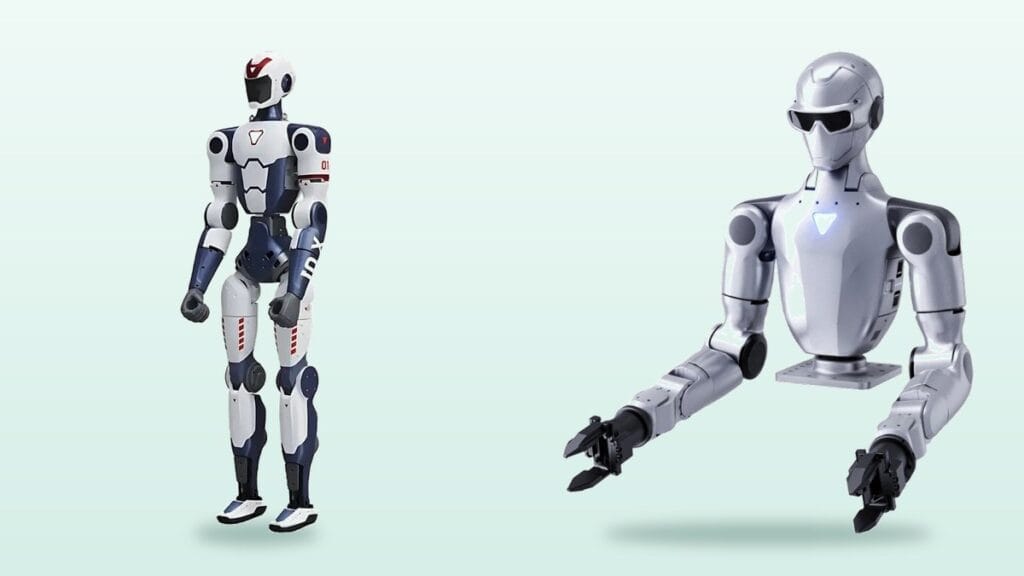
When people compare humanoid robots, they look at height, speed and the tricks in the launch video. The feature that matters most a few months after delivery is often buried at the bottom of the spec sheet: SDK access. Two robots with the same body can behave like completely different products, one open to your own code and one locked to an app and a remote.
The Unitree R1 family shows the difference clearly. R1 Basic and R1 EDU look almost identical, but one is a closed system and the other is a developer platform. This guide explains what an SDK gives you, how the R1 versions differ and what European schools, universities and companies should ask before ordering.
Contents
What an SDK means for a robot
An SDK, or software development kit, is the set of libraries, example code and documentation a manufacturer gives developers. With it you can read sensor data, send commands to joints and run your own AI models on the robot.
In robotics, SDK access usually goes hand in hand with ROS 2 support. ROS 2 is the open-source framework most robot software is built on, and much of the teaching material, simulation tooling and research code used in European universities assumes it. A robot that speaks ROS 2 plugs straight into that ecosystem.
Manufacturers typically reserve this access for EDU or developer packages. Entry packages ship as closed systems: preset motions, app control, no code.
Unitree R1 Basic vs R1 EDU

Unitree R1 Basic is about 123 cm tall and weighs 25 to 29 kg. It offers 26 degrees of freedom, waist and head movement, a binocular stereo camera and a running speed approaching 9 km/h. It can cartwheel, do a handstand and stand up after a fall, and handles voice and image interaction with a multimodal model running on the robot.
But R1 Basic is closed. As the retailer page states, it has no SDK access, no secondary development and no ROS 2 support. It is operated through the remote and app only, which is fine for demonstrations and outreach but not for a course where students write code.
R1 EDU Standard adds a full SDK, ROS 2 support and an NVIDIA Jetson Orin module rated at 40 TOPS, so vision and AI models can run on board. Higher EDU packages such as R1 EDU Smart vary by hands, arms and compute; confirm the exact contents on the quote using the SKU.
R1 Air vs R1 Basic vs R1 EDU
| Feature | R1 Air | R1 Basic | R1 EDU Standard |
|---|---|---|---|
| Degrees of freedom | 20 | 26 | Depends on package, around 24 on Standard |
| Camera | Single camera | Binocular stereo | Binocular stereo |
| Waist and head movement | No | Yes | Yes |
| SDK and secondary development | No | No | Full SDK |
| ROS 2 | No | No | Yes |
| AI compute | 8-core CPU | 8-core CPU | Jetson Orin, 40 TOPS |
| Best suited to | Budget demos | Outreach, demos needing depth perception | Research, programming courses |
Based on the comparison on the Robots Europa product page. For how the R1 compares with G1 and H1, see our Unitree G1 vs R1 vs H1 comparison.
What you can do with SDK access
1Write your own motion controllers
Low-level access to joint position, velocity and torque lets you test new walking, balance and arm controllers.
2Train in simulation, deploy on hardware
Policies trained with reinforcement learning in simulation are loaded onto the real robot through the SDK. Much of today’s embodied AI research depends on this sim-to-real loop.
3Collect sensor data
Recording camera, IMU and joint data to build datasets and train models requires SDK access. In Europe, remember that video containing identifiable people is personal data under GDPR.
4Build your own application
A custom greeting routine for a trade stand, a guided tour or a robot that talks to a language model all need SDK access.
Who needs an SDK and who does not
You need an SDK if you are a university lab, a department teaching robotics or AI, an R&D team, or a company building its own application on the robot. For this group, buying a basic version often leads to buying again within a year. We cover broader lab planning in our robotics lab guide.
You probably do not need one if the robot will run preset motions at trade fairs, in a science centre or in a first robotics club. R1 Air or R1 Basic makes better use of that budget.
If you are undecided, ask one question: will anyone write a line of code for this robot in the next twelve months? If the answer is yes, go EDU.
Does the same split apply to other robots?

Yes. Unitree G1 follows the same pattern, with secondary development only on G1 EDU packages. For robot dogs, Go2 Air and Pro are closed while Go2 EDU is open; see our Go2 and Lite3 comparison.
Manipulation teams should also look at fixed-base dual-arm versions such as R1-A7. For tabletop tasks that do not need walking, they give a more controlled setup than a full humanoid.
SDK questions to ask before you order
Ask which programming languages the SDK supports, how current the documentation is and whether low-level joint control is allowed; some packages only expose high-level commands. Check whether the compute module is included, how long software updates are provided and how technical support works for developers.
Delivery, VAT and CE questions for EU buyers are covered in our guide to buying a robot in Europe.
Referral note: When you request a quote from Robots Europa, mentioning Dijipedya and referral code 08AF5658 helps your enquiry be tracked correctly.
Frequently asked questions
Can R1 Basic be upgraded to R1 EDU later?
Retailer pages do not describe an upgrade path. If you need to write code, buying EDU from the start is the safer choice.
What skills do I need to use the SDK?
Usually Linux, Python or C++ and basic ROS 2. Most university robotics labs already have this in place.
Is a robot without SDK access useless?
No. Basic versions work well for demonstrations, outreach and events with preset motions, app control and voice interaction.
Are all EDU packages the same?
No. Package letters differ by hand type, arm degrees of freedom and compute. Check the exact SKU on your quote.
Compare Unitree humanoid packages, including EDU versions, and request a quote for delivery in Europe.
Affiliate link: we may earn a commission if you buy through it, at no extra cost to you.
More from Dijipedya English