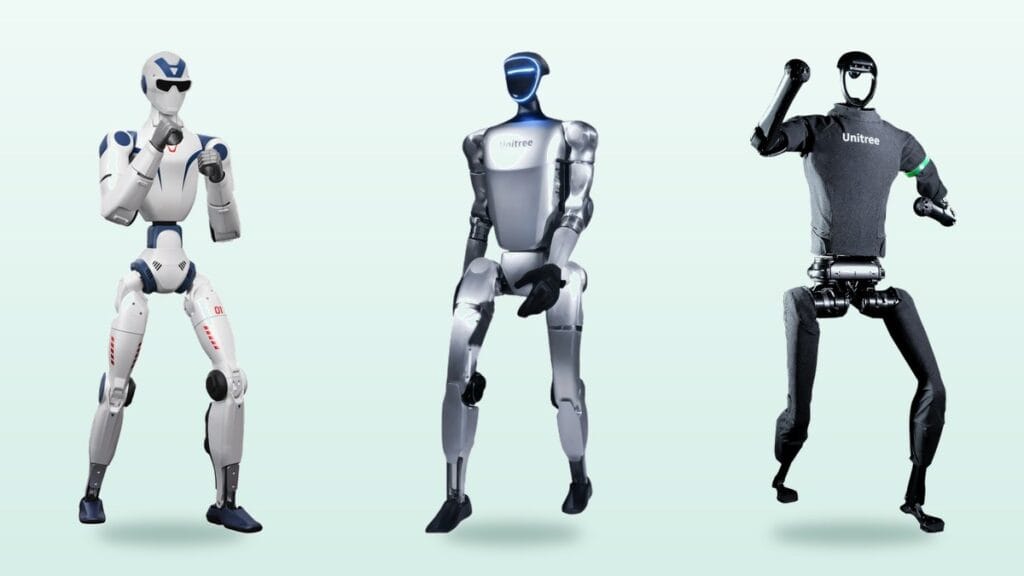
Unitree now sells three humanoid robots that European buyers keep comparing: the compact R1, the mid-sized G1 and the full-size H1. They share a brand and a software ecosystem, but they were built for very different jobs. The R1 is about 1.2 metres tall and light enough for one person to carry. The G1 is the model most European university labs start with. The H1 stands roughly 1.8 metres tall and is aimed at advanced locomotion research.
This guide compares them on size, sensors, programmability and real use cases rather than on price, because prices depend heavily on the package you choose. You can see every configuration in the Unitree humanoid range at Robots Europa, a Dublin-based distributor that delivers across Europe.
Contents
Where the three models differ
Size is the first dividing line, and it affects far more than looks. A 25 kg robot can be moved between classrooms by two people and shipped by standard freight. A 47 kg robot needs a dedicated test area, a safety gantry and more careful logistics, including dangerous goods paperwork for its large lithium battery.
Software access is the second. Unitree separates its entry packages (Air or Basic) from its EDU packages. Entry packages run preset motions and are controlled from an app or remote. Running your own code, working in ROS 2 or adding an onboard compute module is generally reserved for EDU packages. So the real question is not only which robot, but which package.
Unitree G1 vs R1 vs H1 at a glance
| Feature | Unitree R1 | Unitree G1 | Unitree H1 |
|---|---|---|---|
| Height | About 121 to 123 cm | About 132 cm | About 180 cm |
| Weight | About 25 to 29 kg | About 35 kg for EDU versions | About 47 kg |
| Degrees of freedom | 20 on Air, around 26 on other versions | 23 to 43 depending on package | Leg and torso focused; H1-2 adds more capable arms |
| Perception | Binocular vision, onboard multimodal voice and image model | Depth camera and 3D LiDAR | 3D LiDAR and depth camera |
| Battery | Quick-swap battery | Roughly 2 hours per charge | 864 Wh quick-swap battery |
| Programming | SDK and ROS 2 on EDU versions | EDU versions open to secondary development | Research platform with optional compute modules |
| Best suited to | Schools, demos, entry-level teaching | University labs, embodied AI, trade shows | Advanced locomotion research, full-size demos |
Figures are approximate values published by the manufacturer and retailers. Different hands, compute modules and accessories are sold under the same model name, so always check the exact SKU on your quote.
Who is the Unitree R1 for?
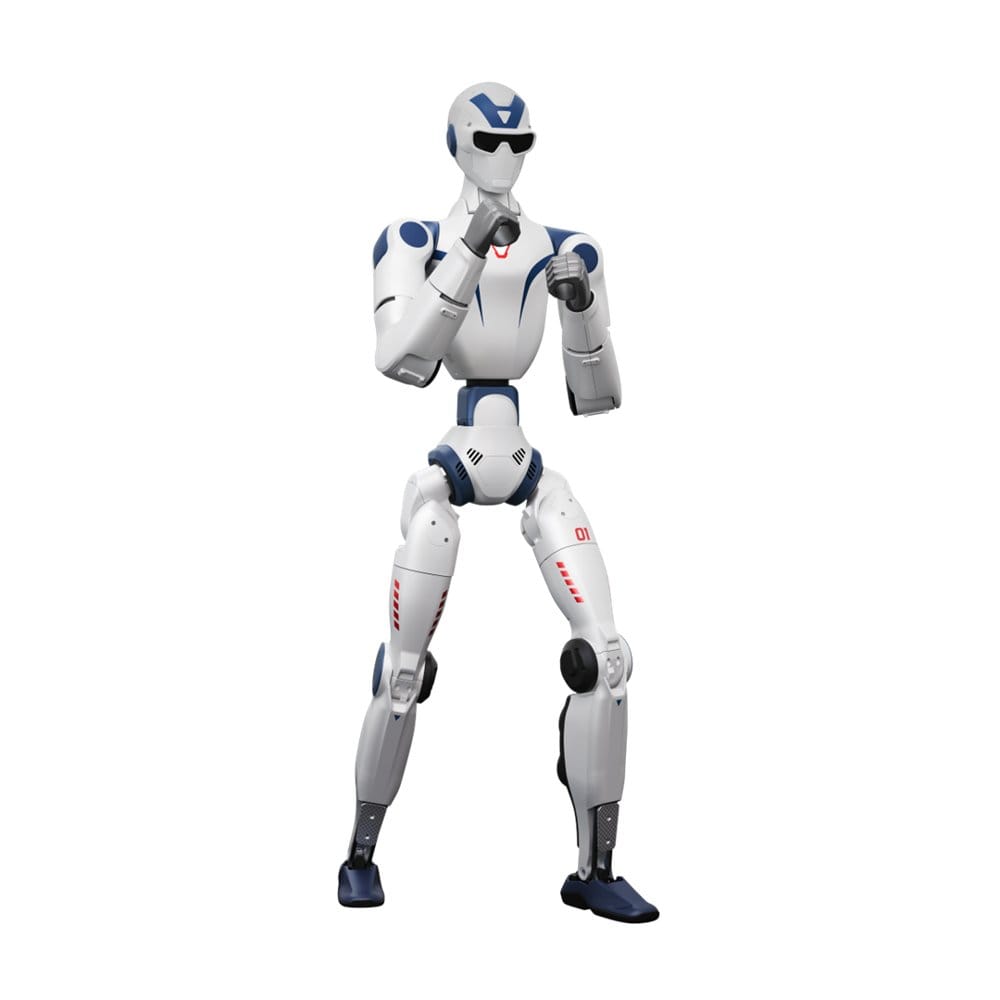
The R1 is Unitree’s attempt to bring humanoids to a much wider audience. At 25 to 29 kg it fits in a car boot, which makes it practical for schools, science centres and touring events. It can cartwheel, do a handstand and get back up by itself after a fall, which is exactly what draws a crowd at a stand.
There are two routes within the R1 family. Unitree R1 Air and R1 Basic are closed systems for demonstrations. R1 EDU adds a full SDK, ROS 2 support and an NVIDIA Jetson Orin module with 40 TOPS, so AI models can run on the robot itself. If students are going to write code for it, the EDU version is the one to buy. We explain why in our guide to SDK access.
Who is the Unitree G1 for?
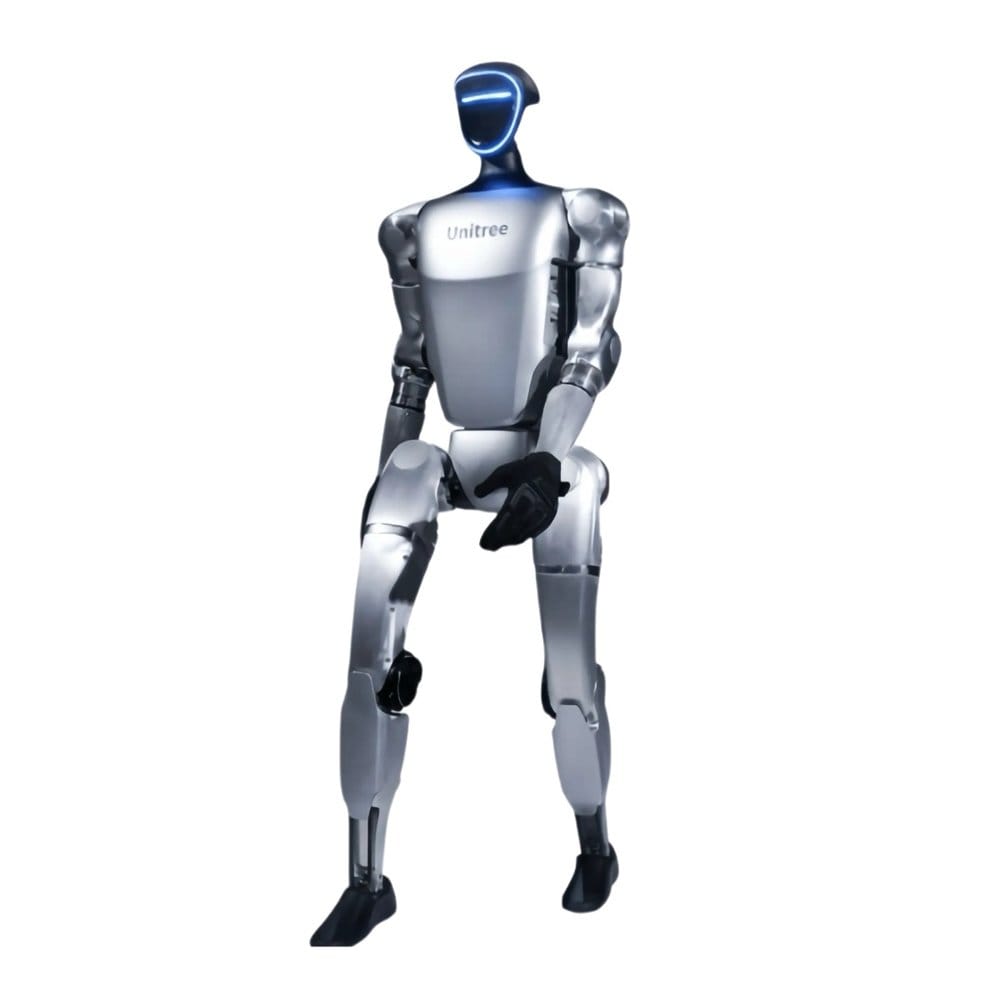
The G1 has become the default humanoid in many European research groups. It is about 132 cm tall, carries a depth camera and 3D LiDAR, connects over Wi-Fi 6 and Bluetooth 5.2, and runs for roughly two hours per charge.
Its strength is the range of packages. G1 Basic is designed for demonstrations, while the G1 EDU family opens secondary development and offers three- or five-fingered hands, taking the robot from 23 up to 43 degrees of freedom. For grasping, imitation learning and teleoperated data collection, that flexibility matters more than any single spec.
Who is the Unitree H1 for?
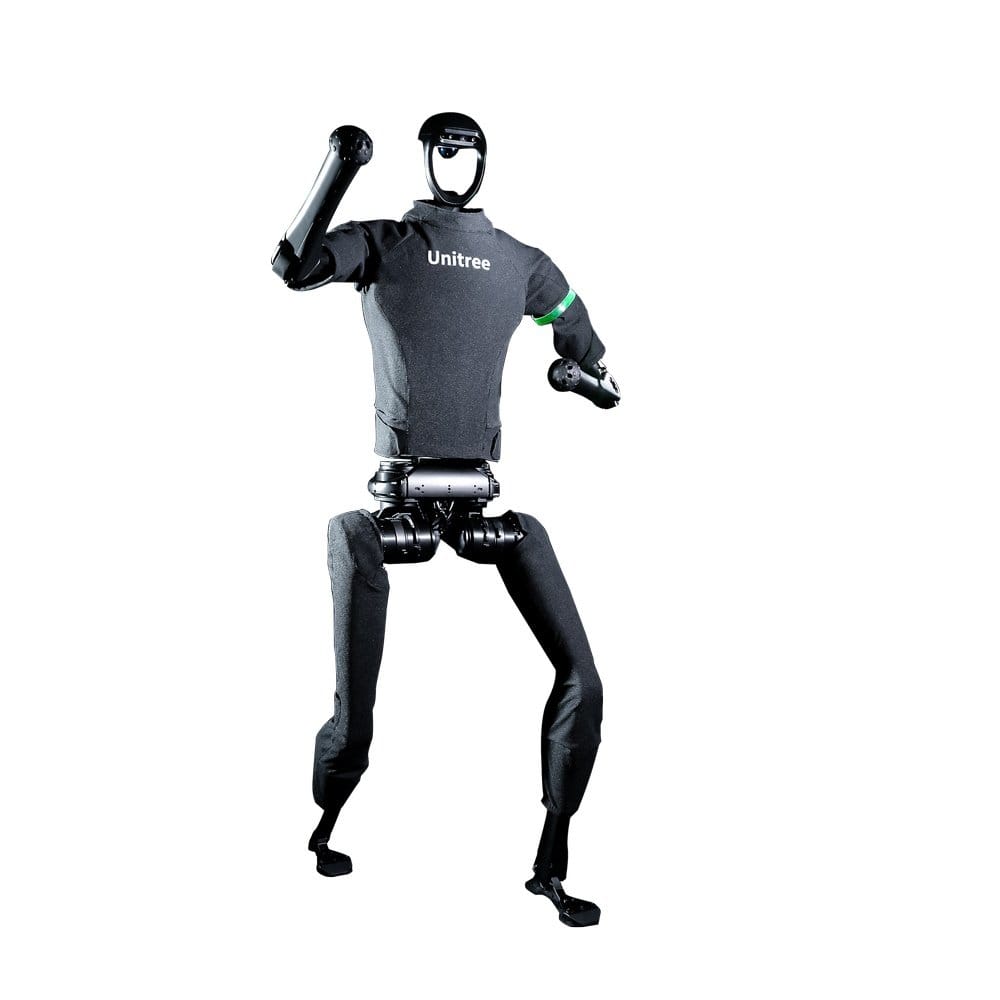
Unitree H1 is adult-sized: about 180 cm and 47 kg, with an 864 Wh quick-swap battery, 3D LiDAR and a depth camera. Unitree quotes a walking speed of 3.3 metres per second, one reason it was long described as one of the fastest humanoids available.
Its audience is narrow but clear: labs working on bipedal locomotion, whole-body control and reinforcement learning. Teams that need more capable arms and dexterous hands should look at H1-2. Budget for a safety gantry, spare batteries and a 100 or 200 TOPS compute module from the start.
Which model for which European use case?
1Secondary schools, makerspaces and science centres
R1 Air or R1 Basic when portability and budget come first. Choose R1 EDU if pupils will program the robot.
2University robotics and control courses
R1 EDU is an affordable entry point; departments running long-term research programmes usually move to G1 EDU. For a broader view of lab equipment, see our robotics lab guide.
3Embodied AI and manipulation research
G1 EDU, thanks to dexterous hand options and up to 43 degrees of freedom. Many groups funding hardware through Horizon Europe or national research grants choose it because the software community is large.
4Trade fairs and product launches
G1 or R1 are easier to run safely on a crowded stand at events such as Hannover Messe or Automatica. H1 delivers more visual impact but needs a larger safety zone and an experienced operator.
5Factories and production lines
None of the three is sold as a ready-made factory worker; they are used in pilots and research. For industrial humanoids and alternatives such as AMRs, read our humanoid robot vs AMR comparison.
What to clarify before you order in Europe
Check the package first. Basic and Air versions may have secondary development disabled, and upgrading later is not always possible. Ask directly about SDK access, ROS 2 and the compute module included.
Then check the paperwork. Robots Europa lists CE-certified, EU-compliant products and delivers from Dublin across Europe, so there are no customs formalities within the EU. VAT-registered businesses and universities can usually buy under the reverse charge mechanism. We cover VAT, CE marking and battery transport in our guide to buying a robot in Europe.
Finally, ask in writing about spare batteries, spare parts lead times, remote support hours and software update policy. These points matter more over a robot’s life than a small difference in list price.
Referral note: When you request a quote from Robots Europa, mentioning Dijipedya and referral code 08AF5658 helps your enquiry be tracked correctly.
Frequently asked questions
What is the difference between the Unitree R1 and G1?
The R1 is shorter and lighter and positioned closer to entry level. The G1 is taller, carries a depth camera and 3D LiDAR, and offers up to 43 degrees of freedom and dexterous hand options, which gives researchers far more room to work.
Is the Unitree H1 suitable for home use?
No. The H1 weighs about 47 kg and is a full-size research robot. It is not designed for household tasks and should be operated in a controlled test area.
Can I run my own code on the Basic or Air versions?
Generally no, or only in a limited way. SDK access and ROS 2 support are mainly reserved for EDU packages, so confirm this before ordering.
Can I buy a Unitree humanoid robot in Europe?
Yes. Robots Europa distributes Unitree humanoids across Europe from Dublin, with quotes based on the exact configuration and delivery country.
Compare every Unitree humanoid configuration and request a quote for delivery in Europe.
Affiliate link: we may earn a commission if you buy through it, at no extra cost to you.
More from Dijipedya English