Programming a robot arm sounds harder than it is. Most beginners can make an arm pick up an object on the first day, either by moving it by hand and recording the positions or by writing ten lines of Python. The hard part comes later: making the motion reliable, safe and fast enough for real work.
This guide explains the four ways robot arms are programmed, gives a beginner learning path, shows a first Python example and suggests affordable arms to learn on. Prices are Robots store list prices checked on 16 October 2026.
Contents
Basics you need first
- Joints and axes: each motor is a joint. Six joints let the tool reach any position at any angle.
- Joint space vs Cartesian space: you can command the angle of each joint, or command a position (x, y, z) and orientation of the tool and let the controller calculate the angles. That calculation is called inverse kinematics.
- Tool centre point (TCP): the point at the tip of the gripper that the program moves around.
- Waypoints: the positions the arm moves through. A program is mostly a list of waypoints plus gripper actions.
- Speed and acceleration: set them low while testing.
- Safety: know where the emergency stop is before the first move.
New to robot arms entirely? Read robotic arms: types, how they work and prices first.
Four ways to program a robot arm
1Hand guiding (lead-through)
You switch the arm into free-drive mode, move it by hand to each position and save it. Most cobots support this. It is the fastest way to teach simple pick-and-place jobs and needs no code.
2Teach pendant or tablet
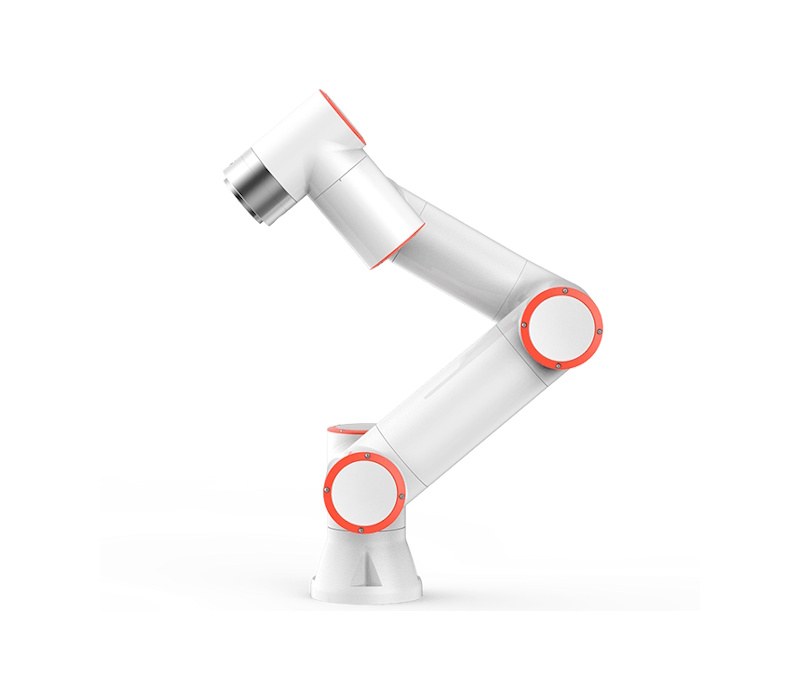
A touchscreen app where you build programs from blocks: move, wait, open gripper, loop, if. Industrial robots and cobots such as the Fairino FR5 work this way.
3Code through an SDK
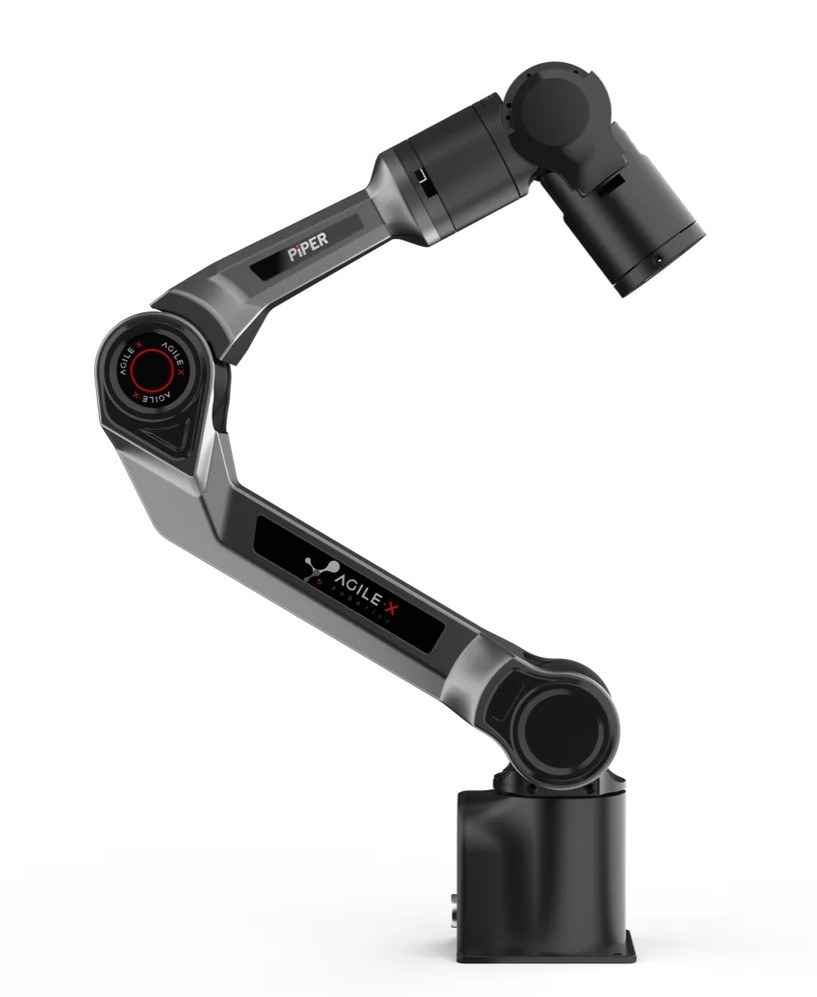
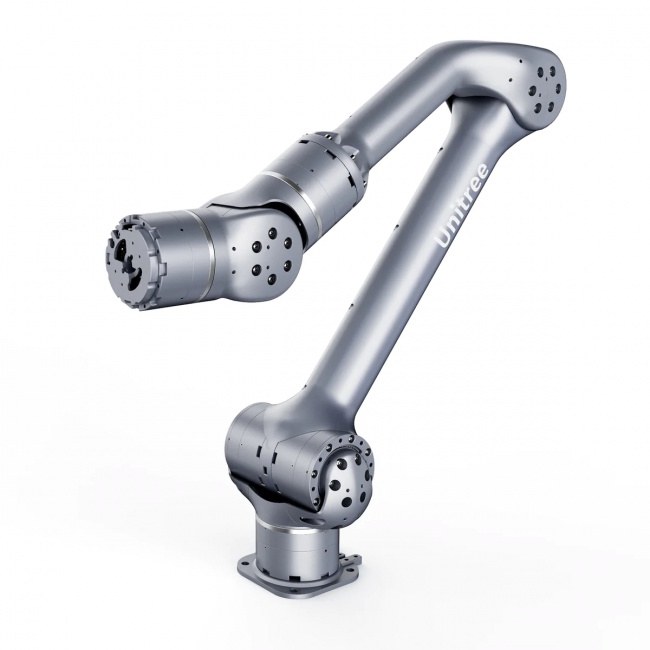
Python, C++ or other languages call the arm’s API to move joints, read positions and control grippers. Desktop and research arms such as myCobot, PiPER and Unitree Z1 are built for this. Many also support ROS 2 and MoveIt for motion planning.
4Offline programming and simulation
The arm and its cell are modelled in software such as RoboDK, Gazebo or Isaac Sim. You test the program virtually, then download it to the robot. This avoids crashes and saves time on real production lines.
A learning path for beginners
1Week 1: move and record
Use the arm’s app to jog each joint, then record and replay a few waypoints. Learn the emergency stop and speed settings.
2Week 2: first script
Install the Python SDK, connect, send joint angles, read back coordinates. Add a gripper open and close.
3Week 3: pick and place
Move a small object from one marked spot to another in Cartesian coordinates. Tune approach heights so the gripper does not hit the table.
4Week 4: add a camera
Use a camera and simple colour or marker detection to find the object instead of a fixed spot. Many education kits include this.
5Next: ROS 2 and simulation
Learn ROS 2, MoveIt and a simulator. This is the skill set robotics jobs ask for. Our ROS 2 learning robots guide lists mobile platforms for the same journey.
Your first Python program
This example uses the open-source pymycobot library on a myCobot 280 Pi. Other arms have similar commands with different names.
from pymycobot.mycobot import MyCobot
import time

mc = MyCobot("/dev/ttyAMA0", 1000000)  # serial port on myCobot 280 Pi

mc.send_angles([0, 0, 0, 0, 0, 0], 50)  # home position, speed 50
time.sleep(3)

mc.send_angles([30, -20, 40, 0, 0, 0], 50)  # move joints 1 to 3
time.sleep(3)

print(mc.get_coords())  # read the tool position [x, y, z, rx, ry, rz]
Start with small angles and low speed, keep the area clear and have the power switch within reach. Each manufacturer publishes example scripts; reading them is the quickest way to learn the API.
Best robot arms to learn on
| Arm | Programming | Good for | List price |
|---|---|---|---|
| myCobot 280 Pi | Python, ROS, blocks | First arm, classrooms | €1,008 |
| myBuddy 280 (dual arm) | Python, ROS | Two-arm tasks, demos | €1,559 |
| AgileX PiPER | Python, C++, ROS 2 | Research, mobile manipulation | €4,583 |
| Fairino FR3 | Tablet, hand guiding, SDK | Learning industrial cobot workflows | €4,859 |
| Unitree Z1 Air | C++, Python, ROS | Research, mounting on robot dogs | €10,920 |
| Unitree Z1 Pro | C++, Python, ROS | Advanced research | €12,755 |
See robot arms for learning and research with current prices in your region.
Product links go to Robots stores (Europe, USA and other regions) through our partner link. If you buy through them, Dijipedya may earn a commission at no extra cost to you.
Schools and universities should also read education robot arms compared. If you plan to automate real production, compare cobots in best cobots for small manufacturers.
Common beginner mistakes
- Starting at full speed. Test every new move at 10 to 30 percent speed.
- Forgetting the gripper length. Set the tool centre point correctly or the arm will miss or crash.
- Moving in joint space near obstacles. Joint moves take curved paths; use linear moves near tables and fixtures.
- Ignoring singularities. Some arm poses make the controller lose a degree of freedom; avoid fully stretched or folded positions.
- Skipping safety. Even small arms can pinch fingers. Know the stop button.
Frequently asked questions
How do you program a robot arm for beginners?
Start with the arm’s app to jog and record positions, then move to the Python SDK to send joint angles and coordinates, and add a gripper and camera step by step. Cobots also allow hand guiding without code.
What language is used to program robot arms?
Python and C++ are the most common for SDKs and ROS 2. Industrial robots also use their own languages, such as KUKA KRL or ABB RAPID, usually through a teach pendant.
Can I program a robot arm without coding?
Yes. Hand guiding and block-based programming on a tablet let you build pick-and-place programs without writing code.
What is the cheapest robot arm to learn programming?
Desktop arms such as Elephant Robotics myCobot 280 Pi cost about €1,000 and support Python, ROS and block programming.
Do I need ROS to program a robot arm?
No. Most arms can be controlled directly through a Python or C++ SDK. ROS 2 becomes useful for motion planning, simulation and combining arms with cameras and mobile robots.
New robots, price changes and buying guides, once a week in your inbox.
Related guides on Dijipedya
Sources: Elephant Robotics pymycobot documentation; AgileX PiPER SDK documentation; Unitree Z1 SDK documentation; ROS 2 and MoveIt documentation; Robots Europa product catalogue and price list (16 October 2026).